 patrickz
I had 104 LinkedIn posts, two years of ideas and no website
Between August 2024 and July 2026 I wrote 104 LinkedIn posts about learning AI by building things: games, agents, video experiments, a communication tool.
I did not want to spend a month hand-building a blog. So I ran an experiment: could AI turn the archive I already had into a teaching website, with me acting as director instead of developer?
It worked, but not because one model did everything. It worked because three AIs each had one job, and every job left behind files I could inspect. GPT 6.0 read the archive and decided what to teach. Claude edited the result for readers. ChatGPT set up the GoDaddy hosting so I never had to open a settings page.
I didn’t touch a single setting. I made decisions, checked evidence and held the keys.
This field note is the recipe. Everything below is written so you can copy it for your own posts, newsletter, notes or portfolio.
Watch the result
The instructional video
Patrick and Su tell the same story as a 16-bit quest. The voices are AI-generated with GPT Live, and the soundtrack is an instrumental I generated in Suno. Claude Code built and rendered the video locally with HeyGen’s open-source HyperFrames.
Read the video as text
Patrick: One hundred and four LinkedIn posts. Two years of ideas. Zero websites.
Su: So Patrick handed the whole job to AI. And it actually built one.
Patrick: patrickz.ai. Made with machines. Directed by me.
Su: Mostly directed. Let’s show them how.
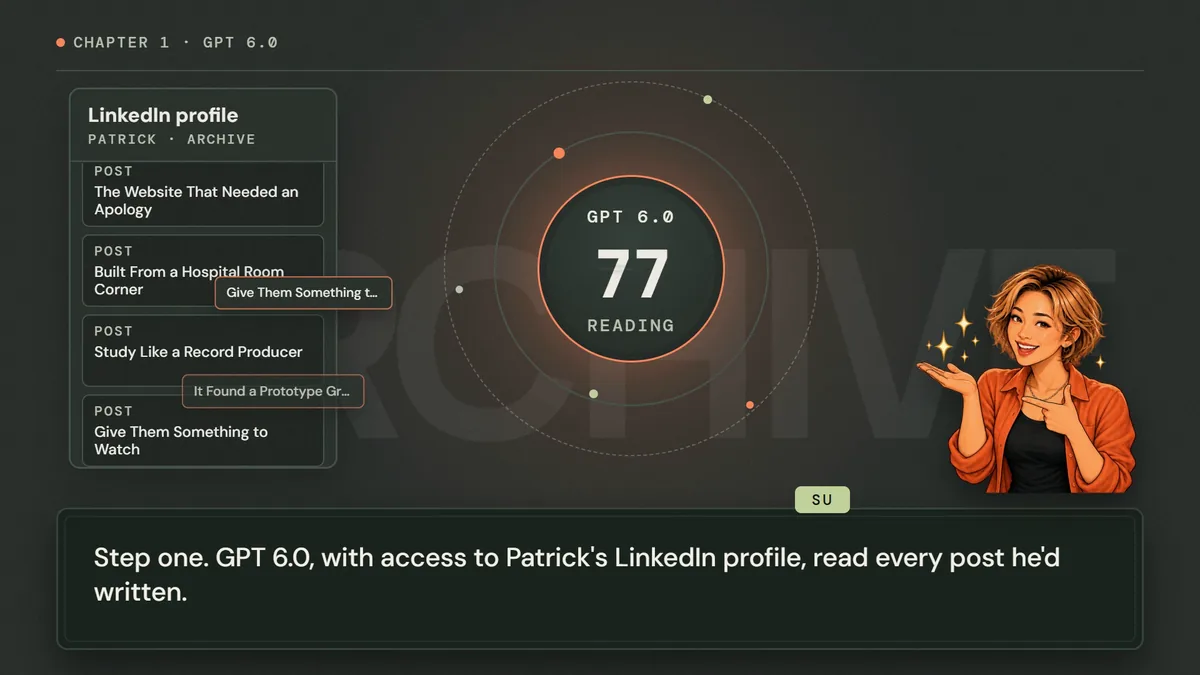
Su: Step one. GPT 6.0, with access to Patrick’s LinkedIn profile, read every post he’d written.
Patrick: Every single one. Even the sodium post.
Su: It checked each post, grouped all one hundred and four into thirty-four themes, and decided what deserved to become a lesson.
Patrick: Then it generated everything. Guides! Comics! Illustrations! Us!
Su: We came out mostly accurate.
Patrick: It was huge. It was glorious. It was...
Su: Repeating itself. Nine articles teaching the same lesson in different costumes.
Patrick: So I called in Claude.
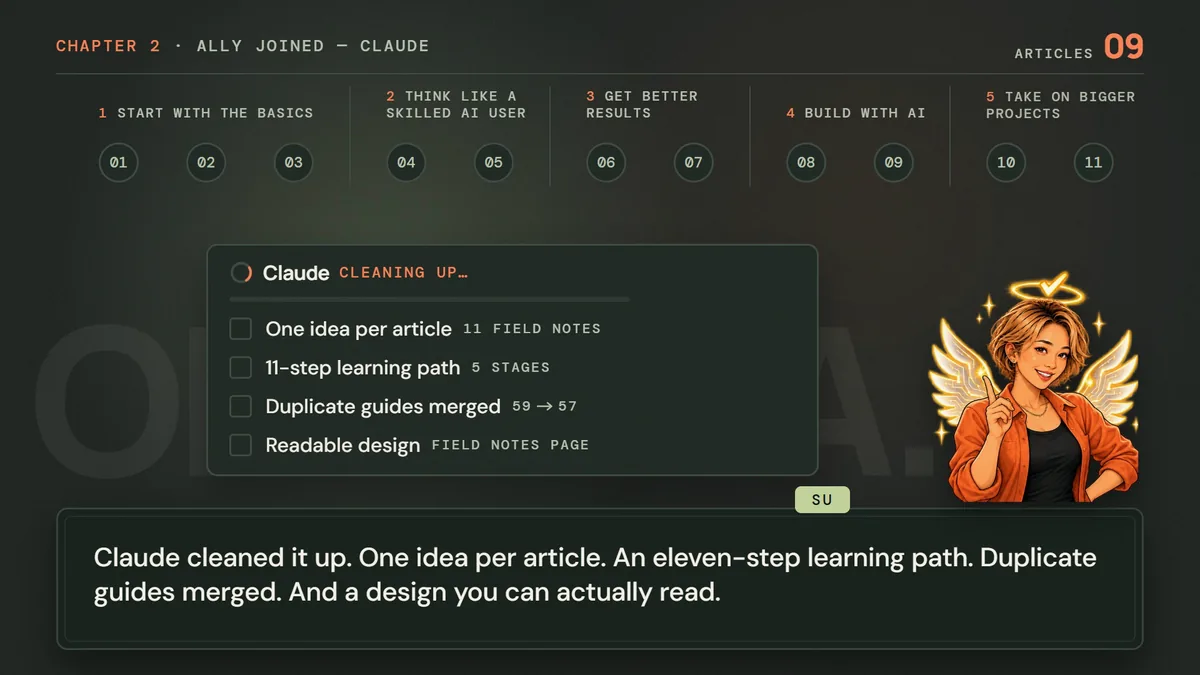
Su: Claude cleaned it up. One idea per article. An eleven-step learning path. Duplicate guides merged. And a design you can actually read.
Patrick: It retired my favorite duplicate!
Su: With a redirect. Nobody gets lost.
Patrick: Which left the scariest part of any website.
Su: Hosting.
Patrick: Domains. FTP accounts. Redirects. Settings named like a villain’s password.
Su: Relax. ChatGPT set up GoDaddy, made the fixes, and handled the settings, so Patrick didn’t have to.
Patrick: I didn’t touch a single setting. I just watched it happen.
Su: And now every update is checked before it goes live.
Patrick: So here it is. patrickz.ai.
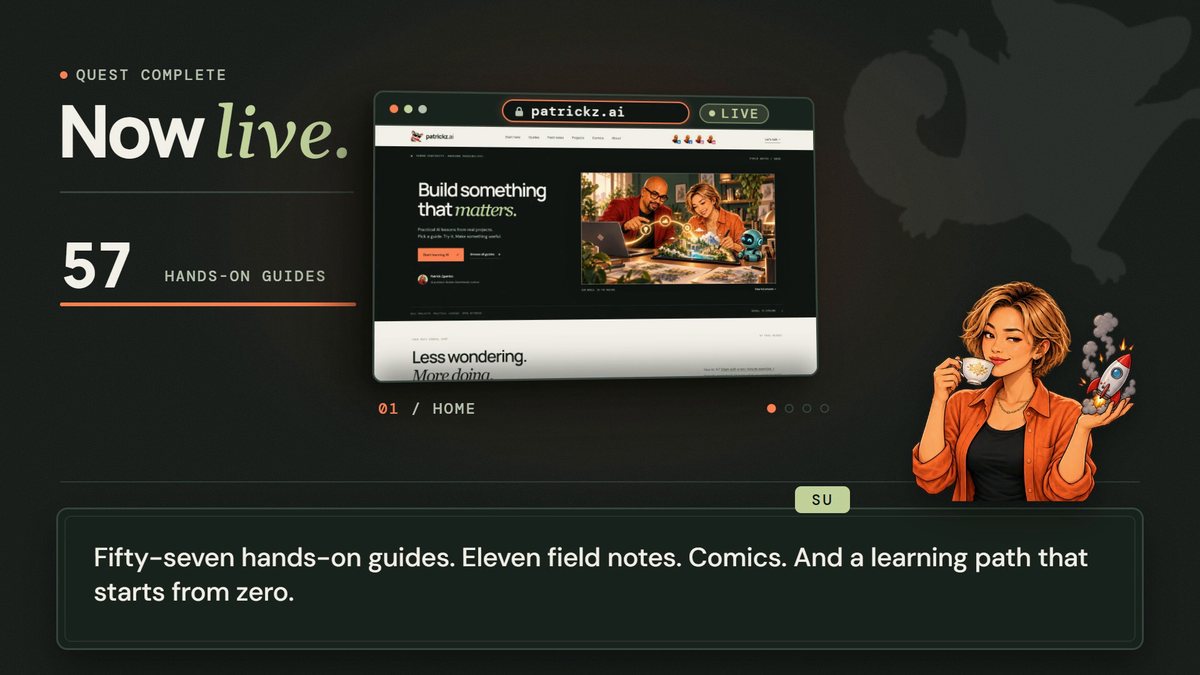
Su: Fifty-seven hands-on guides. Eleven field notes. Comics. And a learning path that starts from zero.
Patrick: Built by one guy and a very busy team of AIs.
Su: Built by Patrick. Checked by Patrick. Helped by AI.
Patrick: Your turn. Pick one idea and try it today.
Su: patrickz.ai. Learn it. Try it. Check it.
Three AIs, three jobs, one set of files
The whole project was a relay. No AI worked from memory of a previous chat; each one picked up files the last one left behind.
- ArchiveMy 104 posts, 18 project write-ups and my public GitHub repositories. This is the raw material and the source of truth.
- Evidence map (GPT 6.0)Every post numbered and grouped into 34 themes, with gaps and duplicates flagged, before a single page existed.
- Content and build (GPT 6.0)Lessons, practice sheets, comics and illustrations written as content files, compiled into plain HTML by one Python script, with link and anchor checks.
- Editorial pass (Claude)Reviewed the live site against one purpose, merged duplicate ideas, rebuilt the field notes into a learning path and redesigned the reading experience.
- Hosting (ChatGPT)Configured GoDaddy, the domains and an automatic GitHub deploy, with my passwords kept out of the conversation.
- Story (Claude Code + GPT Live)A 2:35 instructional video, voiced by two AI actors and rendered on my own computer.
The handoffs were ordinary files: a coverage map, content files, a build script, a validation script, a redirect list, a deployment config and a README describing how to update everything. That is what made the project safe to split between different AIs. When something was wrong I could point at the file, not at a feeling.
GPT 6.0 read the archive before it wrote anything
The first request was not “make me a website.” It was: read everything, then show me what is there. GPT 6.0 had access to my LinkedIn profile and my exported posts. Its first deliverable was an evidence map:
- All 104 posts (August 8, 2024 to July 16, 2026) grouped into 34 teaching themes, with post numbers listed under each theme.
- A check of my recent LinkedIn activity, which found four newer posts the export didn’t include yet.
- An inventory of 18 project write-ups, cross-checked against GitHub so private projects were never presented as public, and placeholder ideas were never presented as finished products.
Only then did it decide what to publish: one practical lesson per theme, a lesson for each newer post, a project lab for each project, and setup lessons for beginners. Each guide got an outcome, ordered steps, a copyable prompt, a way to check your result and a troubleshooting note. It also produced the comics and the illustrated Patrick and Su artwork that runs through the site.
Claude edited for the reader, not for the writer
A first draft built from 104 posts has a predictable problem: it sounds like 104 posts. Several articles taught the same lesson in different costumes, and two guides duplicated each other.
My first prompt to Claude asked it to review the site and “recommend any changes and organization you would make to turn it into an award-winning blog.” The review was good, and it was about looks. My second prompt changed everything: “Re-review the site. The purpose of this site is for people to quickly get the information they need.” With a purpose, the review became a checklist of reader problems instead of a list of design ideas. The Review against a purpose prompt below is that second ask, ready to reuse.
- Every field note now teaches exactly one idea, placed on a numbered learning path in five stages.
- Overlapping articles were merged, and every retired address permanently redirects to the article that now owns the idea, so no old link breaks.
- Three missing foundation articles were written so beginners start with how AI answers, what context it needs and how to frame the problem.
- Duplicate guides were merged (59 became 57), and every article ends with the guides that let you practice it.
- A reading-focused redesign: a one-minute summary, a “Try it” checklist, copy buttons for prompts and a clear next step.
One more edit was pure honesty. The site’s old logo was an orange asterisk that looked suspiciously like Claude’s own icon. The new logo is Su, the sugar glider in sunglasses.
ChatGPT took the GoDaddy work off my plate, inside guardrails
Hosting is where most people stall: FTP accounts, document roots, domains, certificates, WordPress leftovers. I asked ChatGPT to do all of it, and to write down everything it changed.
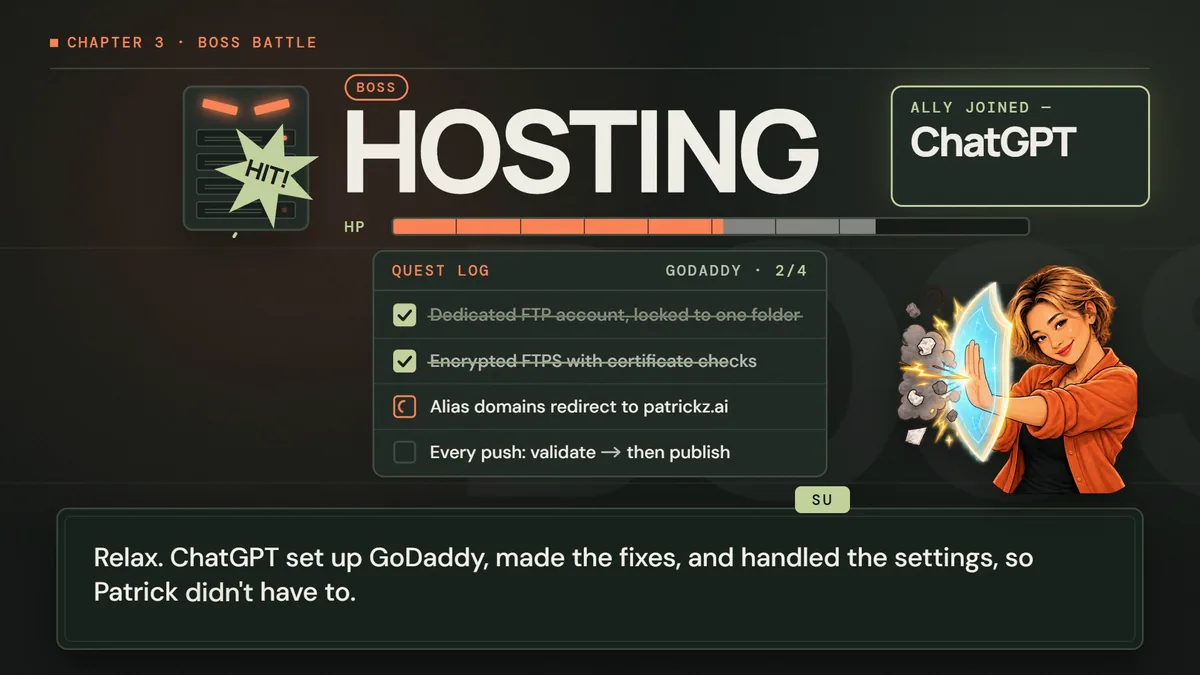
- A deploy-only account that can reach one folder and nothing else. The old WordPress sites and databases were left untouched.
- Encrypted uploads (explicit FTPS) with certificate checks.
- No passwords in chat. I typed the password into a secure prompt; a setup script tested it, then stored it only as a GitHub Actions secret.
- Every push deploys itself. GitHub Actions validates links and files first, then uploads only what changed.
- Verified, reversible uploads. Each file goes up under a temporary name, is downloaded again and compared by SHA-256, then renamed into place. Overwritten files are backed up. Nothing on the server is ever deleted automatically.
- One canonical address. My older domains now redirect permanently to patrickz.ai.
edit content  →  python scripts/build_learning.py
             →  python scripts/validate.py
git push main →  GitHub Actions: validate, then publish
             →  upload to temp name → verify SHA-256 → rename
             →  live on patrickz.ai
Today, updating the site means editing a content file and pushing one commit. That update path is the real product; the first launch was just its first run.
Try it
Turn your own archive into a teaching website
Start small: do steps 1–3 today in any chat assistant. You can skip the export and paste in 10–20 of your recent posts. You’ll finish with an evidence map and a one-sentence purpose, which everything else is built on. Steps 4–7 are a weekend project. They need a code-capable AI agent (set one up with Get started with ChatGPT and Codex), a free GitHub account and any web host. Use the prompts further down for steps 2, 4, 5 and 6.
- Export what you already wrote
On LinkedIn, open Settings & Privacy → Data privacy → Get a copy of your data. Menu names change, so search LinkedIn Help for “download your data” if you can’t find it. Give the AI only your posts. Never give it your messages or connections files: they hold other people’s private details. For a newsletter, blog or notes, export or paste the posts instead. Keep the export private.
- Ask for an evidence map, not a website
Have the AI number every post, group them into themes, flag duplicates and gaps, and propose one lesson per theme. Read the map yourself and delete anything you would not stand behind.
- Write the purpose in one sentence
Name the reader and their job, for example: “Beginners should quickly find one practical AI exercise they can finish today.” Every later review is judged against this sentence.
- Build from content files with a checker
Ask an agent to store lessons as content files and compile them into plain HTML with one build script, plus a validation script for links, anchors and missing images. Plain static files are cheap, fast and easy to host. Use the code-capable agent (for example Codex or Claude Code) for this, not a plain chat: it has to create files and run the build on your computer.
- Get a second AI to edit for the reader
Give a different model the live site and your purpose sentence. Ask it to find duplicate ideas, merge them, redirect retired pages and make each page teach one thing.
- Delegate hosting, keep the keys
Let the AI configure hosting and automatic deploys, but create or type passwords yourself in a secure prompt, restrict the deploy account to one folder and keep the old site for rollback. This is also agent work, because it runs setup and deploy scripts. Only you type the password.
- Verify it like a stranger
Open the live site on your phone. Can you find a useful lesson in under a minute? Do old links still work? Can you publish a small change with one commit?
You’ll know it worked when
A stranger lands on your homepage and reaches a useful, sourced lesson in under a minute, and you can publish an update by pushing a single commit.
When you’re ready
Teach it back with an instructional video
The instructional video above teaches this same workflow, and it was built with the same relay idea. Claude Code wrote a 27-line script for Patrick and Su, and a small script had GPT Live perform it with two persistent AI voices. It then built six scenes as HTML and animation timelines in HyperFrames and checked every scene with snapshots before rendering 4,665 frames to MP4 on my own PC. For the soundtrack, I gave Suno a prompt timed to the chapters, then the song was cut on the beat so its drop lands on the “Now live” reveal, and it dips under every spoken line so the words stay clear.
npx hyperframes check      # lint, layout, motion and contrast
npx hyperframes snapshot --at 4,30,72,105 --no-end -o output/snaps
npx hyperframes render --quality delivery -o renders/making-of.mp4
For the voice acting (how two GPT Live actors hear each other between lines), read the training-video field note. One practical gotcha from this render: a Python package had installed a 2013 copy of ffmpeg that sat ahead of the real one on my PATH, so the audio mix failed. If a render dies at the audio step, run ffmpeg -version first.
Avoid these
Common mistakes
- Asking for “award-winning” instead of stating a purpose
Aspirations get you design opinions. A one-sentence purpose about the reader gets you fixes.
- Letting the AI that wrote the draft grade it
A second model with fresh eyes and your purpose sentence finds repetition the author cannot see.
- Skipping the evidence map
Without it, lessons drift from what you actually know, and you cannot trace a claim back to its source.
- Pasting passwords or API keys into chat
Type them into a secure prompt or store them as CI secrets. An AI can configure hosting without ever seeing the password.
- Deleting old pages
Retire them with permanent redirects so every link people shared keeps working.
- Publishing numbers nobody checked
Counts like “57 guides” should come from the build output, not from what the AI remembers saying.
Copy, adapt, run
Prompts to try
Paste one into any chat assistant and replace anything in [brackets].
Map the archive (step 2)
Here is an export of my [LinkedIn posts / newsletter / notes]. Before writing anything, build an evidence map: number every item, group them into teaching themes, list the item numbers under each theme, flag duplicates and gaps, and propose one practical lesson per theme with an outcome a beginner could complete in under 30 minutes. Only use what the items support. Mark anything uncertain instead of guessing.
Plan and build the site (step 4)
Using this evidence map, build a static teaching website for [audience]. Store each lesson as a content file with: outcome, time, steps, a copyable prompt, how to check the result and troubleshooting. Write one build script that compiles the content into plain HTML with consistent navigation (Start here, Guides, Field notes, Projects, About), and a validation script that fails on broken links, missing anchors or missing images. Keep it deployable to any basic web host.
Review against a purpose (step 5)
Review [your site URL] for [who the reader is]. The purpose of this site is: [your one-sentence purpose]. Judge every page only against that purpose. List the ten problems that most stop that reader from getting what they need quickly, ranked by impact. For each, name the page, what you saw and the smallest fix. Flag duplicate ideas across pages. Skip purely visual suggestions unless they block the purpose.
Consolidate into one idea per page (step 5)
Review the articles, check for duplicate ideas, and consolidate them so each article teaches a new concept thoroughly and clearly. This is a teaching site to get people to try and adopt AI, so every article must be distinct and useful. Redirect any retired page to the article that now owns its idea.
Delegate hosting with guardrails (step 6)
Set up hosting and automatic deployment for this static site on [host] so I do not have to change settings myself. Rules: create a deploy-only account restricted to one folder; use encrypted transfer with certificate checks; I will type any password into a secure prompt and it must never appear in chat, code or logs; store it only as a CI secret; each push must validate the site, upload only changed files and verify them; never delete files on the server; keep the old site in place for rollback. Finish with a README listing every setting you changed and how to undo it.
Make an instructional video
Use a local HyperFrames pipeline to make a [length] instructional video that teaches how I built [project] with AI: [the steps and tools]. Use my [characters or artwork] and AI voices for two narrators, disclose that the voices are AI-generated, check every scene with snapshots and show me the preview before rendering.
The tool kit
Tools and links
- GPT 6.0 in ChatGPTRead the archive and LinkedIn activity, built the evidence map, and generated the guides, comics and illustrations.
- ChatGPTConfigured GoDaddy, the domains and the automatic GitHub deploy, and ran the setup script behind a secure password prompt.
- Claude CodeSite review, article consolidation, redirects, redesign, logo swap and the instructional video.
- GitHub and GitHub ActionsPrivate repository for every source file; each push validates and publishes the site.
- GoDaddy cPanel hostingExisting hosting plan, now serving a plain static site from its own folder.
- PythonOne build script compiles content files to HTML; one validation script checks links, anchors and files.
- HyperFrames by HeyGenOpen-source HTML-to-video framework used locally to compose and render the instructional video.
- GPT LiveTwo AI voice actors (meridian for Patrick, gleam for Su) performed the 27-line script.
- SunoGenerated the instrumental soundtrack, “Victory Fanfare,” from a prompt timed to the video’s chapters.
- FFmpegMixes the voice track and encodes the MP4. Keep it current.
The short version
What to remember
- Your archive is the brief. Map it before you publish from it.
- Give each AI one job and make it leave files the next one can check.
- A one-sentence purpose turns a design review into a list of fixes.
- Delegate the hosting work; keep passwords, spending and the publish decision yourself.
- The update path matters more than the launch: edit a file, push a commit, done.